Existing Playwright suites
Your tests and config, unchanged. No framework to adopt.
For teams already using Playwright
Keep the tests and CI you already use. Playrunner brings runners, environments, credentials, reports, integrations, and automatic sharding into one workflow—on your infrastructure or ours—without the scripts and CI matrices that normally hold it all together.
The problem
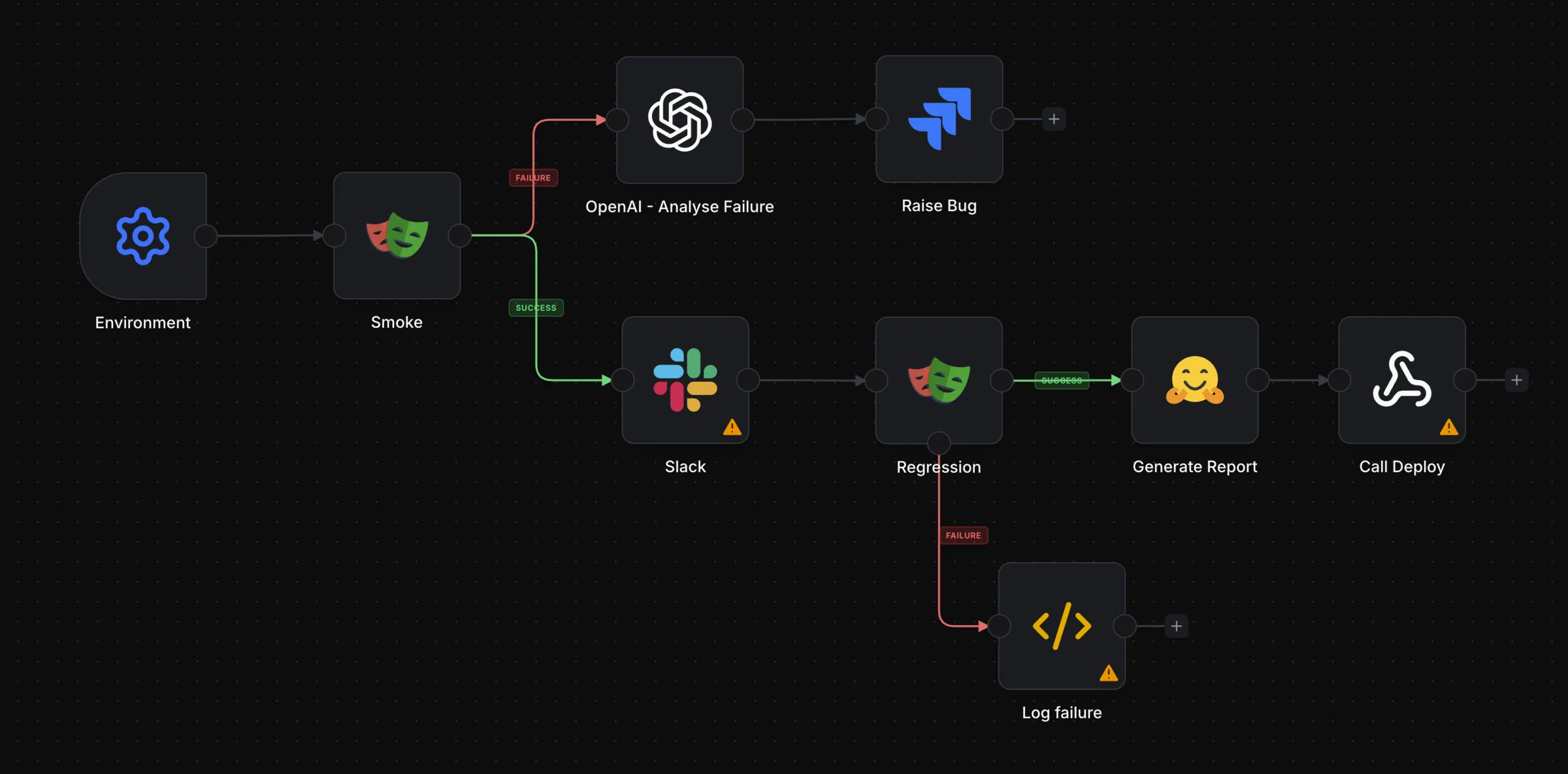
A reliable run needs more than a command. It needs compute, state, conditions, schedules, credentials, artefacts, and reporting, and teams end up building that themselves, one script at a time.
The orchestration layer
Use the parts you need. The workflow model stays the same as you grow.
Your tests and config, unchanged. No framework to adopt.
Provision on demand: local, managed cloud, or self-hosted.
Conditions, parallel branches, shared environment data, dependent steps.
Start on a schedule, an API call, or a webhook.
Logs, Playwright reports, and artefacts stay with the run.
Package-based plugins, plus a growing marketplace.
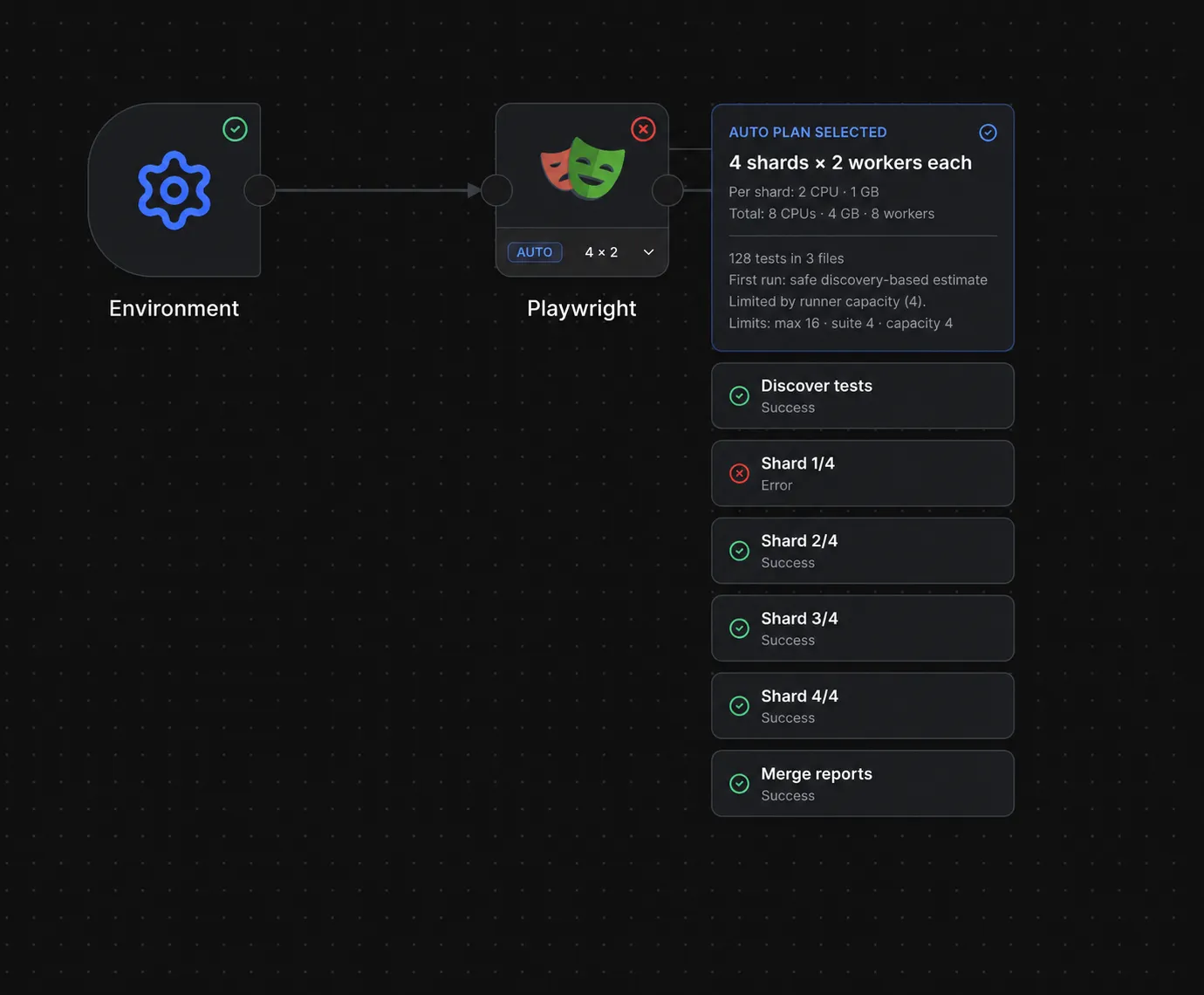
Automatic Playwright sharding
Auto mode discovers the suite before it runs, fits the useful parallelism to your runner capacity, and turns one Playwright node into a complete sharded execution.
How it fits
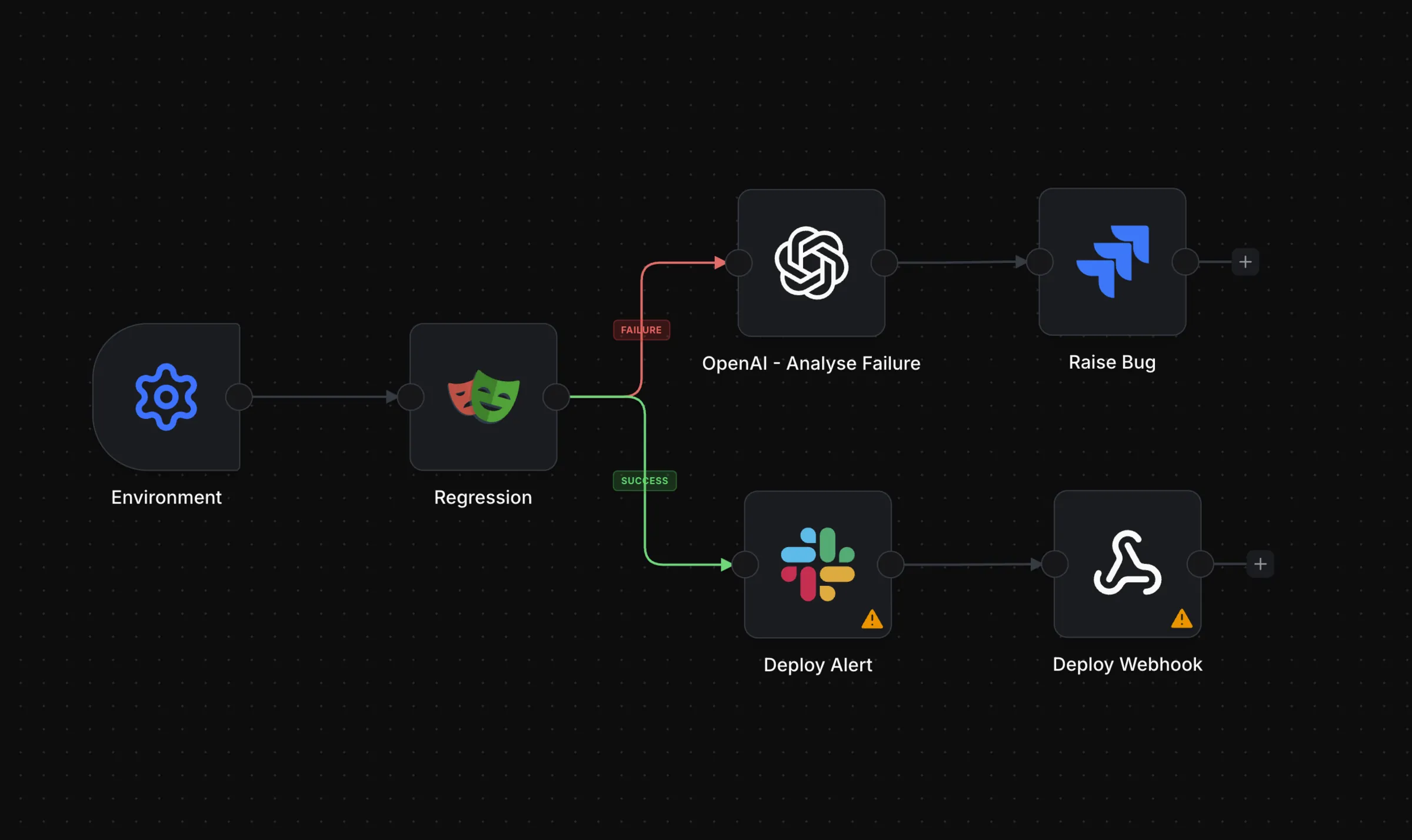
Start with one workflow and move only the execution you no longer want to own.
Connect the repo. Your tests and config stay as they are.
Local Docker, managed cloud runners, or your own infrastructure.
Wire triggers, conditions, branches, and downstream systems on the canvas.
Follow state and logs live. Reports and artefacts stay attached to the run.
Early teams wanted
We want a few teams already maintaining runner infrastructure or CI glue. Run one real workflow, tell us where it is still too hard, and shape what we build next.
Go deeper